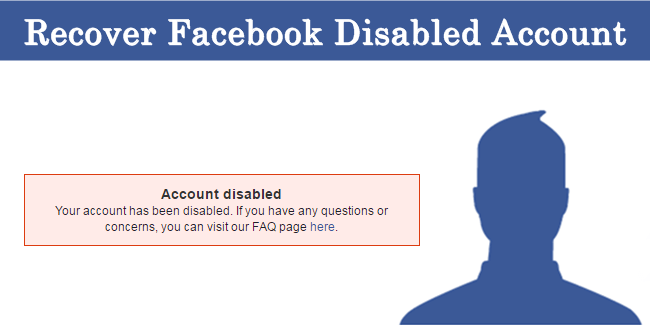
I’m going to take you on a journey. This is a real story that happened to us, and, I’m going to spoil the ending now, it ended happily for us. It didn’t happen straight away, it wasn’t easy, and there were a few dark moments along the way, but out of the blue a solution presented itself and we were astounded by the result. This is a real method, in the UK, of getting your disabled Facebook profile recovered when everything else has failed.
Picture the scene – you’re having a couple of drinks in the evening with a few friends at your local, with your phone buzzing in your pocket. You only check it when you say goodbye and leave the pub, and what you see is scary. You have messages from Facebook, both by email and the app, all saying things along the lines of ‘your password is being changed, is this you?’ and ‘your facebook password is now changed.’ You hit the button that says it wasn’t me, but to no avail…
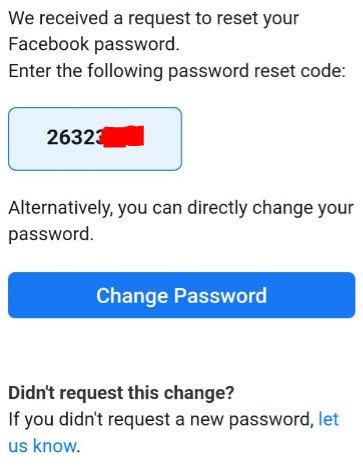
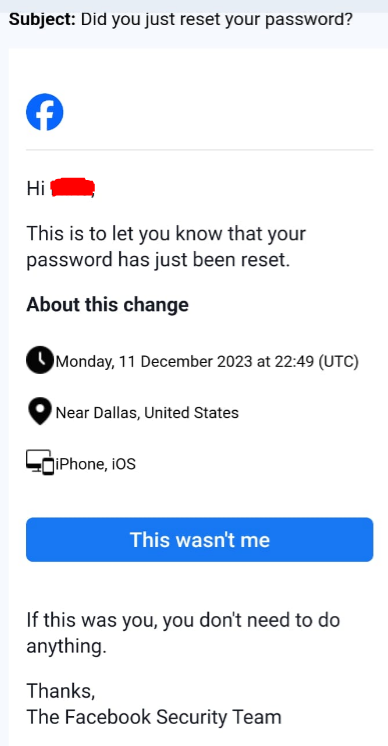
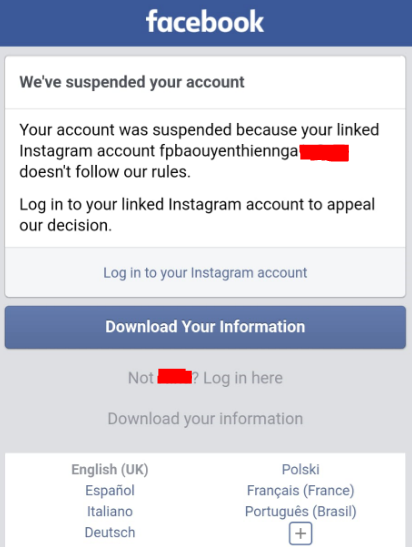
First of all you panic. Then you think it must be a scam. Then you try to log on to Facebook and find a message telling you that it has been suspended after a linked Instagram account was found to not comply with their rules. You can’t log on at all, either on your phone or your PC. On the PC it tells you that your account is simply disabled.
Next you get somebody else to log on and check your profile. Oh no, it cannot be found! Your profile has disappeared, with every post or piece of media you ever uploaded gone. Every page or group you created has been destroyed. Groups you manage which somebody else created are there, but the items you added such as the group profile picture are gone. Events that you have people attending have vanished from their calendars. Luckily we didn’t have a business dependent on Facebook for sales, but if you did, then all of that is gone too. Every memory that you were used to Facebook bringing back year on year is gone.
I know what you’ll say, because I said it too. Why would you depend on Facebook to store important stuff like this? For heaven’s sake, it’s a free site which is unregulated and at the whim of a single person can be shut down completely. You just need to look at Twitter, or X, to see how the egos of these billionaires can massively influence the business that goes on with social media companies. X suffered greatly with the addition of the blue tick for money, upsetting the CEOs of Disney and other big firms, and the offensive attitude of its new owner toward its heritage and people. A new name and logo, mass redundancies, and tonnes of media speculation has greatly devalued its brand. This could easily happen to Facebook too, so why put important info on their servers.
The reason we do it is because everybody is doing it. The whole world uses Facebook for socialising, business, second-hand marketplace sales, planning events, informing members of societies of activities, advertising, influencing behaviours, sharing news of big events and small, spreading rumours or fake news, and a hundred and one other reasons. We use it for two things – one is keeping in touch with friends and acquaintances, and the other is for sharing information of our Scout Group to our community and members. Both of these were massively impacted by the loss of this account.
So, what did we do next? The offending account was actually an Instagram account. We had an account name, which was something along the lines of fpbaoutenthienngaxxxxx. So we tried to find out what was going on there. The account couldn’t be found, so we assume it had been disabled too. We hadn’t got an account on Instagram which was linked to the Facebook one, but had a couple of accounts which were not linked. We managed to log on to these OK, but then there wasn’t much we could do.
Web Research
Next came research. Lots and lots of research. Can we find a telephone number to call Facebook (or Meta) to sort this out? No, there is nothing. Reddit posts, articles on blogs (like this one!), even news articles and magazine articles, all say roughly the same thing. There is nobody to speak to at Meta, but there are forms to fill in on Facebook’s helpdesk which may sort this out. There were some more worrying articles, but tended to skip over those at this stage. Perhaps we should have listened at this stage, but we thought logically, we haven’t done anything wrong, and this will get sorted out without a problem. Maybe it will take a few hours or days, but the nice people at Meta will check out the account and switch it back on. Wrong! The most worrying thing was the reference that most articles make to the deadline for bringing the account back. 30 days, otherwise it will be permanently deleted! Is it only temporary right now? Yes, it looks that way. The message on the phone app definitely says Suspended, and everything else we saw pointed towards a temporary disablement. But after 30 days the account would be gone. Fortunately, this turned out to be a fallacy, as we took double that to get it back.
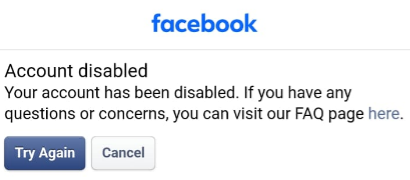
This screen was the most common that we saw over the two months of trying to reactivate this account. It pops up when you try to log on to your profile on the PC. Hit Try Again and you keep repeating the same logon step over and over again. Cancel and you obviously get nowhere. The only thing that leads anywhere is to visit the FAQ page.
Facebook.com/Hacked
The forms that Facebook provide seem, at first glance, to be exactly what you need. There is a fairly circuitous route to find them, and many of them are linked by blogs and articles around the web. Firstly the link that most sites suggest is www.facebook.com/hacked. It advises that if you believe your account has been compromised then click the button and we’ll help you regain control.
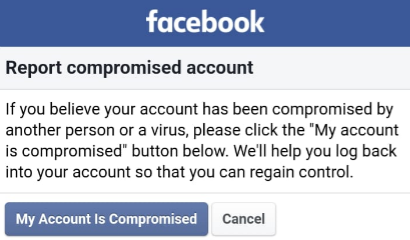
This did nothing at all, from what we saw. Never did anything come through about this action, although it may have flagged that there was a problem with the account for Facebook to know about.
Facebook Forms
On the FAQ page there is, however, one option which describes itself as the action to recover a disabled Facebook profile. That’s us! What does it do? It takes you to a form, one which is all over the web as one option to retrieve your account. Here is the form: https://www.facebook.com/help/contact/260749603972907
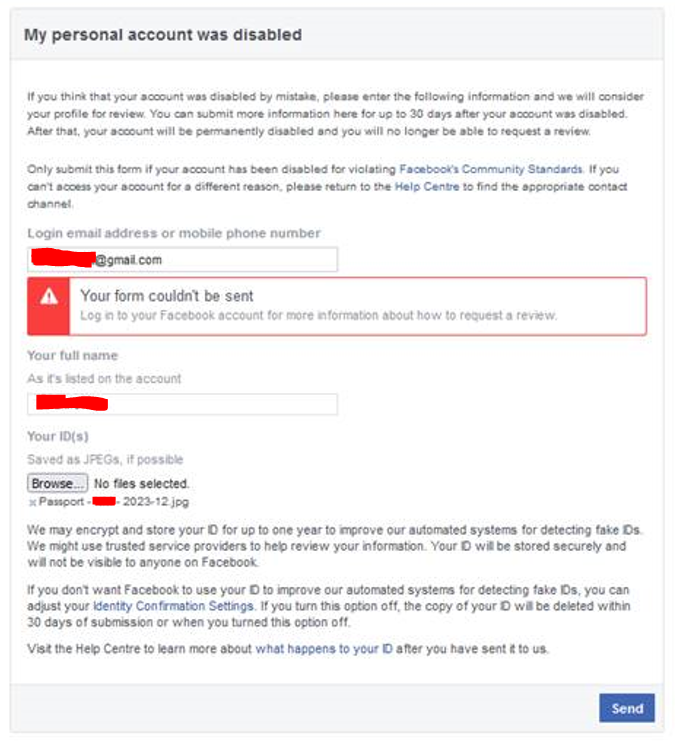
Notice the box in red saying that the form couldn’t be sent? We must have tried this literally hundreds of times over the first few weeks. There are other similar forms as well, which have a similar theme with different titles and slightly different info requested. The idea of this form is that it verifies your identity to make sure that it isn’t a hacker trying to get your profile back with a new password. We checked and rechecked the info on the ID photos, and tried with several different pieces of ID. Every time the result was the same; the form couldn’t be sent. The message tells you to log into your Facebook account for more information about how to request a review, but we cannot login! We even tried logging into a different account and trying the form, but then it told us to log out before doing it. Every single person we eventually contacted about the issue had the same advice – use this form and it will be sorted.
Report a Problem
One of the main methods of contacting Meta support is to use the Report a Problem link on your profile. Just click on the link and it will take you to a form to fill in to report your problem. Only trouble is, you need to be logged in to access this link. So no use in this situation.
Random Facebook Email Addresses
Getting a little desparate, we looked around for some way to contact Meta. If their form isn’t working, surely they would want to know? And they would love to help us out, wouldn’t they? We found some email addresses with dubious provenance and sent some messages out requesting help. We sent to these:
disabled@fb.com
appeals@fb.com
support@fb.com
platformcs@support.facebook.com
abuse@fb.com
None of these responded at all, and we have zero evidence that they even arrived.
Pay a Hacker
One thing a couple of friends mentioned was that they’d heard about people who had the technical knowhow and experience to recover other people’s accounts for them. We just had to find one. Somebody had a contact for a chap called Hacker Johnson and we went from there. This guy answered straightaway and asked a few questions about the account. Then it got down to the nitty-gritty and he came back with the difficult program he would need to write and how long it would take to run.
Of course the next message was the issue of the expense… He would be able to do it, but it would cost him $150 to buy a phishing tool which he asked us to pay upfront. I was sceptical beforehand, and this just confirmed it. The software he wanted to purchase made no sense, and so it was obviously a scam aimed at desparate people like us. We called it quits on this one then got hounded for days before blocking him.
Oculus Quest VR
I know, what have a pair of VR goggles got to do with it? But actually, there was a history to this which made it plausible. Meta purchased a company called Oculus in Ireland who manufacture the Quest VR goggles. If you have a set of goggles which don’t work then you are entitled to aftersales support. These goggles require the use of Facebook to log on in order to be used, or at least to connect to your Oculus account. Therefore, they may have an interest in sorting out the issue we had.
So, the general idea from the wonderful hive mind on the web, is to purchase a pair of Quest 2 goggle, wait for them to arrive, request assistance in getting the Facebook profile back online, and then returning the goggles for a full refund. Obviously not the most climate-friendly, or the most efficient business model for Meta, but we wanted to give it a try. As luck would have it we already had some Oculus VR goggles in the house, so we created a new account for them and contacted Meta via the Quest portion of the Meta profile website. This seemed like it was going well because we finally seemed to have contact with a human being on the end of an instant chat message! Or at the very least a bot who could be persuaded to get a human to help. However, it fizzled out when they advised that the most they could do was direct us to the facebook.com/hacked link. They were very apologetic, but could do no more.
Memorialise Account
Now we were looking for different ways to contact Meta Support. There are no options at all to contact them via a chat or email about a disabled account, but they are a little more talkative for relatives of dead people! We composed a message via the Help Center to request memorialisation of the account and explained that if it were memorialised the photos and other info on it would therefore be visible. We were hopeful that it may be as simple to reinstate as memorialise, and that we would be able to speak to somebody about it.
We were able to speak to somebody, but the message was essentially the same. They sympathise, but the only help they can give is to fill out the same form again. Dead end here.
Meta Verified on another Profile
We’d seen a few times that paying to become Meta Verified gives you more access to support than those that do not. And when you think about it, of course it does!
Meta has a few income streams. It’s a business, and needs to make money. But it doesn’t get a penny from the billions of users that it has world-wide. Instead, it gets money from advertising and Meta Verified profiles. Hang on, so who are the actual customers of Meta? These would primarily be businesses who advertise on Facebook. They pay large amounts of money because of the size of the platform and the number of people who will see the advertising.
Facebook is really clever about focusing advertising on those that will receive it well. Remember that it knows what you click on, what you like, and even what you spend a few seconds more hovering over in your feed. It uses all this information to target advertising at profiles that are more likely to look at it and interact with it. This makes it a very valuable platform. But if all those people on Facebook aren’t customers or consumers, what are they? You and I, my friends, are actually stock on a shelf. We are inventory, with a market value to rent face time in front of advertisers. We have value to Meta in that we are the platform that their actual clients want to advertise on. And if we are faulty in any way, if we are ‘rotten’ or not actually human, and if we can degrade the value of the platform in any manner, then we have no value at all to Meta. They don’t need to keep us happy – if we aren’t happy, in fact, they would rather see us leave than stick around.
However, by paying for Meta Verified, we instantly transform into the second type of customer! So that’s what we did. We couldn’t do it on the account which was disabled, of course, as we couldn’t access it. So instead I used my account to become verified for the sum of £9.99 per month (for one month only, of course).
Miraculously I was able to contact an agent through Facebook’s Meta Verified support chat. Within a few minutes we were chatting, and then she asked if she could call me directly. Perfect! We went through the whole issue and she assured us that there was support available. However, there was a catch, she couldn’t help with somebody else’s account and it was my own which was now verified. So this was a non-starter, but we now had assurance that if we could Meta Verify one of the Instagram accounts owned by the same person that owned the disable Facebook profile, they would be able to help that way.
Meta Verified on Instagram
Immediately on to the next task, we paid for a second round of Meta Verification, this time on Instagram. The email addresses were the same, and the name on the account was the same. There were photos on both which matched, so it shouldn’t be a problem.
Again, we were talking on the phone to somebody within minutes. This was now looking promising. The agent we spoke to took lots of details and led us through lots of steps to try to solve the problem. However, most of these were identical to the steps we had already tried. No fear, they had to try everything before getting to the big guns! Everything was written down and recorded for posterity, before a message was composed and emailed to the next team up. We would then need to wait for 24-48 hours for a response.
Three days later we were contacting Meta Verified again, as nothing has come through. The agent this time advised that something had gone wrong and they needed a new, more secure, email address. We obtained one and he again wrote an email to the next team up. With assurances that things were looking up, we hung up and waited again.
Two days later we received an email from Meta basically saying that there was nothing they could do. We were devastated. It was absolutely inconceivable that this would be the end result of this journey, but there did not seem any recourse.
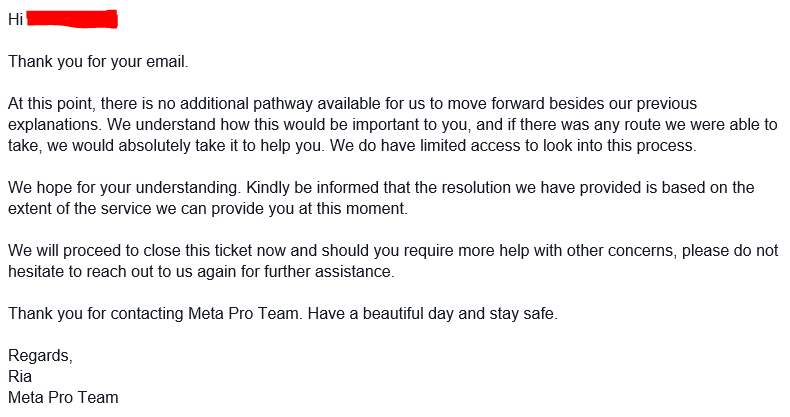
We contacted Meta Verified support again anyway, to make one last effort. The person we spoke to this time was apologetic, but he also was quite firm that there was no guarantee and potentially no hope that anything could be done. He agreed to send one final email to the internal team, but also advised that there was a limit where they would block any further requests. He didn’t add any further information, but simply hoped that it would go to a different person.
This did not achieve a thing. The reasoning was that they could only help if the account which was disabled was Meta Verified or linked to another account. Unfortunately it was not, and the Instagram accounts were not linked. There is no way of doing this retrospectively if the profile is disabled, and so this was just a massive kick in the teeth. No matter what we said, or how we pleaded, Meta Verified could not help us.
GDPR Request
With every last avenue closing up in front of us, we began to give up hope. There was very little left to try, and that which was left had no hope of succeeding. We hadn’t yet made the trip across to the EU base of Meta in Ireland to demand a meeting with their CEO in person, but we didn’t think it had as much of a chance as the cost of travelling there. The other options we had were more drastic and had even less change of success!
So we started to prepare for failure. One thing we wanted was the photos off the profile as these were sentimental and weren’t stored anywhere else. If we were to one day create another account, we wanted to copy across the statuses and media, so we needed something to go off.
Facebook provide a tool for downloading your profile contents. Unfortunately you need to login to use this. A common theme in these tasks! The only way we could think of was to raise a GDPR Subject Access Request. Firstly, of course, we asked if Meta would supply the data without being forced to, but were told bluntly no. So we raised an SAR on the ICO website, using information about Meta from Companies House. They would have 30 days in which to deliver the requested items, which should have been fairly simple. If they found it easier, they could always just reopen the account so that their own processes could be followed and we could use the tool provided.
So far it has been around 20 days, and nothing has been forthcoming. At the end of this we would need to go to the ICO and complain that Meta had not complied with the law. Eventually it could go to court and we wouldn’t be much better off at all, but we had nothing else to do.
The Final Solution
Finally, as all hope had gone and the last few days remaining on the Subject Information Request were ebbing away, we made a last-ditch attempt to contact Meta. This is the last thing to try, and the one which utimately resulted in success!
All we did was email our local MP and ask for help. We didn’t give many specifics at all, just a name and email address, and we received a response within a few hours from her promising to look into it. Whatever, how on earth can this help when everything else we tried failed?
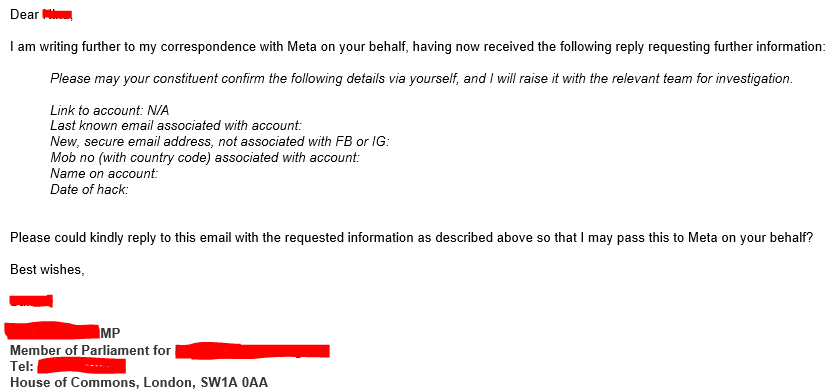
We were asked the next day to provide a few details – all of which we provided many times to Meta ourselves. We sent it back straightaway, and within a few more hours had a further response.
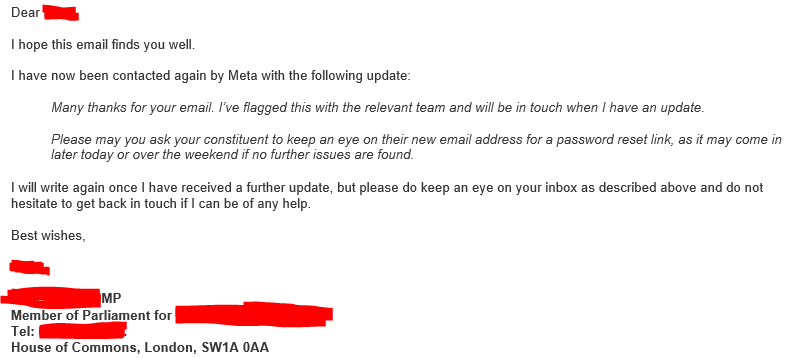
Within a few minutes there was an email in our inbox, with the password reset link. We used this and the profile was there! There were two Instagram accounts linked to it, which shouldn’t have been and we removed them, and it looks like notifications for lots of failed advert purchases which was presumably the reason for taking the account. But apart from that, everything is back online, exactly how it was before the hacking exactly two months earlier. Posts made that evening are back, the group cover photos are back, events are back, and everything else.
Why did this work?
The answer is, we don’t know. The bigger question should be, why did this approch fare better than using Meta’s purpose-built tools? Again, we don’t know, but we do think that it is appalling that Meta have some kind of system whereby ordinary people are ignored but MPs and (presumably) other nation’s leaders are treated differently.
How did an ordinary MP manage to get a message to somebody high up inside Meta? There is no phone number or email address which is apparent, otherwise it would have leaked out on the web. The only way I can think is that the UK Government have a connection with Meta, as well as other platforms such as X, LinkedIn, and others. What form would this have? Perhaps Meta have a representative in each nation to maintain good relations with the lawmakers of those countries, with the clout to make things happen quickly when requested, and the remit to keep the MPs happy? Perhaps the Government have requested access in order to prevent embarrassment in the event that one of their own MPs or civil servants is barred and unable to access their constituents.
Presumably there is a similar mechanism in the US and other countries, but in the UK the quickest and most effective way of recovering an account would appear to be to contact your MP.
I got locked out of my Facebook and Instagram account for weeks. Tried appeals, contacted support, no luck. Then someone connected me with Veronica, she works with Meta, and she really knows what she’s doing. She got my accounts back way faster than I expected. If you’re dealing with the same thing, her email is msveronica023@gmail.com. Total lifesaver.